Organization, team, and billing
Configure organization identity, team roles, laboratory subscriptions, and clinic payment methods.
Company
Company settings own the organization identity used across the application and generated documents:
- organization and display name, slug, brand, and logo;
- support, billing, phone, and website details;
- business address and location defaults;
- company, tax, or VAT identifiers;
- timezone and currency.
Timezone affects displayed dates and working-calendar calculations. Currency affects catalog pricing, inventory valuation, and finance records. Change either only after reviewing downstream consequences.
Team
Team settings list active members, pending invitations, and join requests. Owners/admins can invite, change permitted roles, or remove access. Confirm clinical roles separately when a person must appear as a reference doctor.
Laboratory subscription
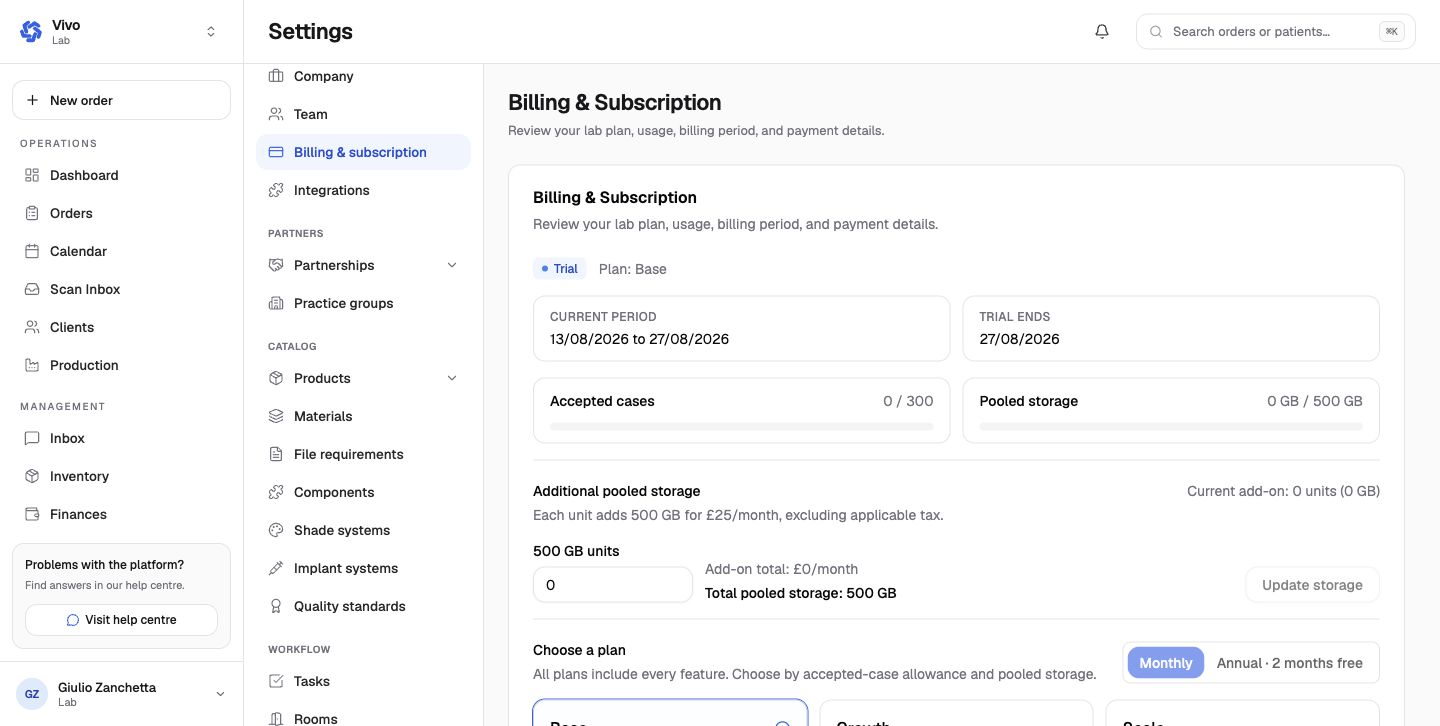
The laboratory billing page shows:
- trial or subscription state and current period;
- accepted-case usage and allowance;
- pooled storage usage and included limit;
- additional storage units and price;
- monthly or annual plan choices;
- payment-detail and billing-portal actions.
All plan and payment controls are owner-only. Accepted-case and storage figures should be reviewed before changing plan or add-on quantity.
Clinic payment methods
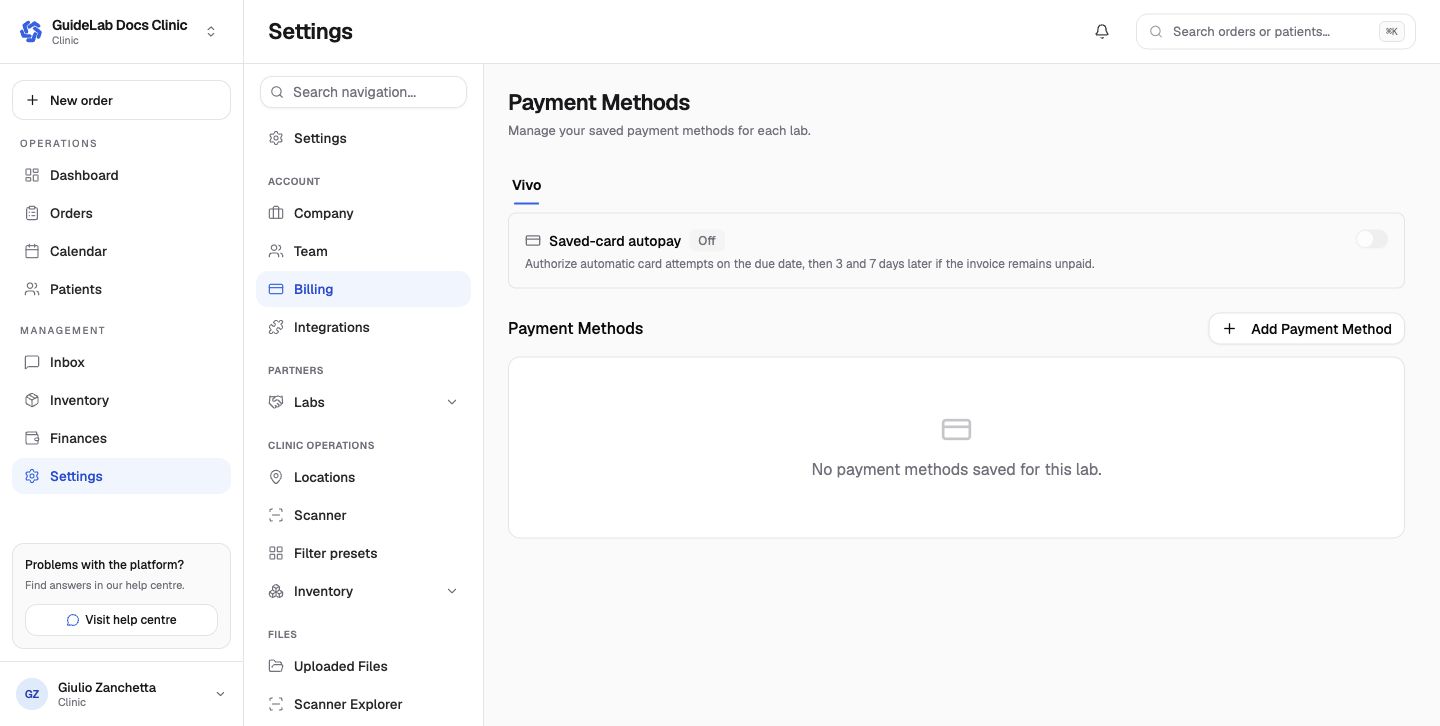
Clinic billing is grouped by connected laboratory. Each lab can have its own saved methods and autopay preference. Removing a card or changing autopay does not alter an already recorded payment.