GuidesSettings
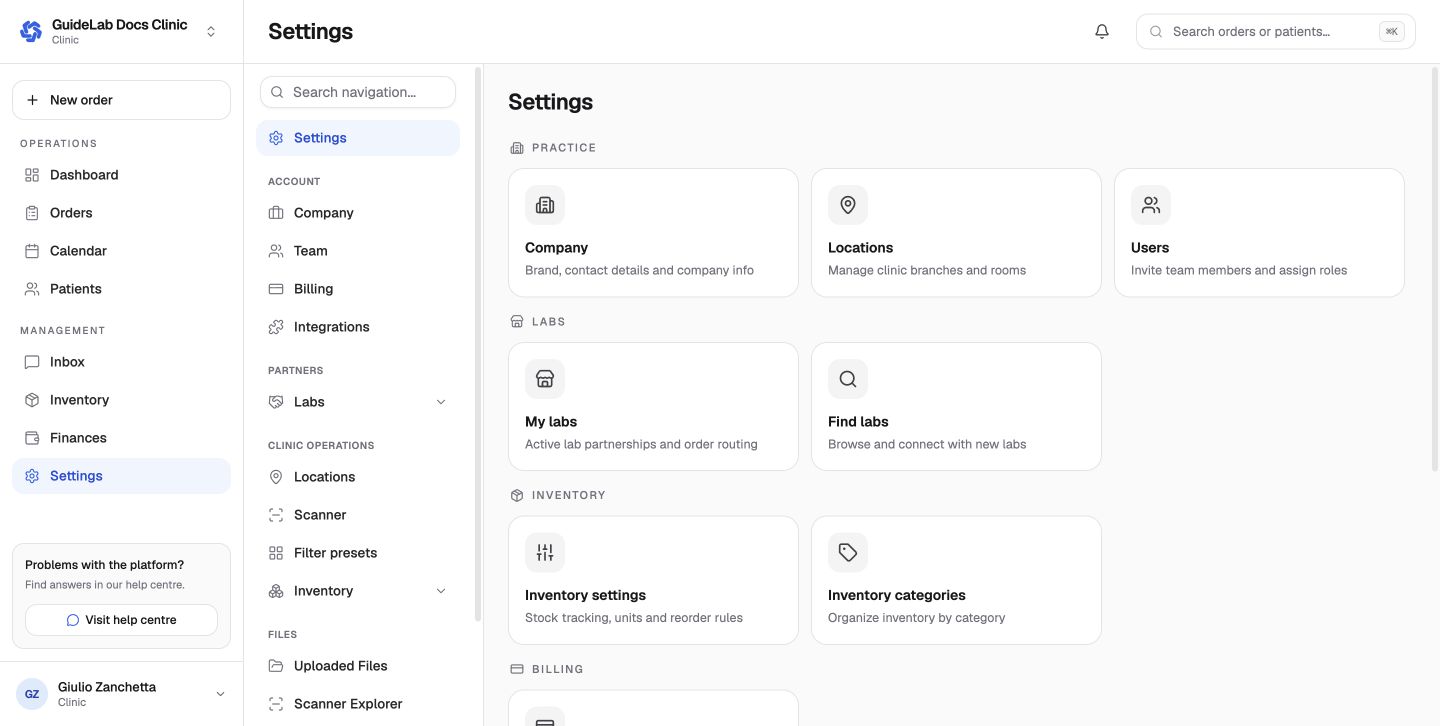
Clinic settings
Configure clinic profile, team, locations, billing, labs, and integrations.
Clinic owners use Settings to maintain the organization profile and the prerequisites for patient and order workflows.
Recommended setup order
- confirm organization and business details;
- create every operating location;
- invite the clinic team and assign the correct roles;
- connect to the laboratories the clinic uses;
- configure billing and integrations;
- verify that an eligible reference doctor is available before creating the first order.
Clinic settings sections
Account
- Company controls brand, support/billing contacts, legal/tax identity, address, timezone, and currency.
- Team manages members, invitations, join requests, and roles.
- Billing manages saved cards and autopay separately for each lab.
- Integrations currently contains Dentally; scanner providers live under Scanner.
Partners and clinic operations
- My labs and Find labs manage partnerships and order routing.
- Locations manages branches and the default clinic address.
- Scanner manages provider connections.
- Filter presets creates saved order-list views.
- Inventory configures alerts, categories, and adjustment reasons.
Files
- Uploaded Files is the clinic-wide file library.
- Scanner Explorer browses provider cases after a scanner is connected.
Only owners should change organization-wide settings. Review the active workspace in the organization switcher before editing them.
See the Complete settings reference for every route.