GuidesSettings
Laboratory settings
Configure the laboratory organization and its operational modules.
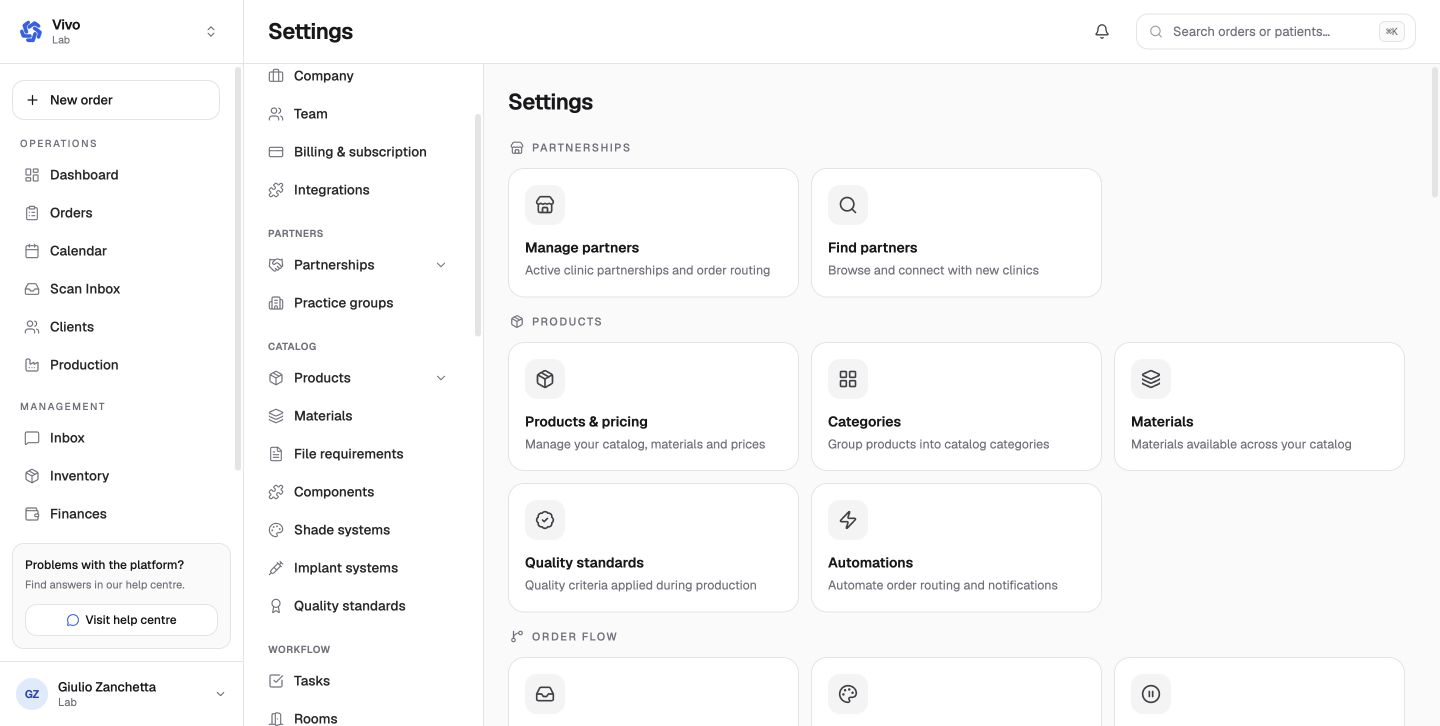
Laboratory settings bring together business identity, locations, staff, client configuration, integrations, catalog, and production workflow.
Recommended setup order
- confirm organization, regional, and location details;
- invite the lab team and assign operational access;
- configure services in the Catalog;
- define rooms, phases, and tasks in Workflow;
- connect supported scanner, finance, and communication integrations;
- review client defaults before accepting the first clinic partnership.
Settings sections
The lab navigation is intentionally broad:
- Account: company, team, subscription, and integrations;
- Partners: clinic relationships and practice groups;
- Catalog: products, bundles, categories, materials, required files, components, shade systems, implant systems, and standards;
- Workflow: tasks, rooms, phases, printers, automations, and planning;
- Order operations: intake, tags, filters, trays, holds/remakes, QC, calendar, scanners, inventory, pickup, and delivery;
- Communications: email, stickers, WhatsApp, and document branding;
- Finance: invoice, payment, tax, statement, and notification policy;
- Data: bundle/CSV import, export, and archived records.
Changes to catalog and workflow configuration affect downstream order entry and production, so make them deliberately and communicate them to the team.
Use the Complete settings reference to find every route, then follow the detailed topic pages in this section.