Personal account settings
Manage profile, security, language, sessions, notifications, and invitations.
Personal account settings apply to the signed-in user across organizations. Open the user menu, then choose Account settings.
Profile and security
The Profile page contains:
- avatar, full name, and phone number;
- display language;
- password change using the current password;
- TOTP-based two-factor authentication;
- active-session review and revocation;
- account erasure in the danger zone.
Email changes are handled through support. Account erasure revokes the active profile, while records required for clinical, financial, or audit retention may remain.
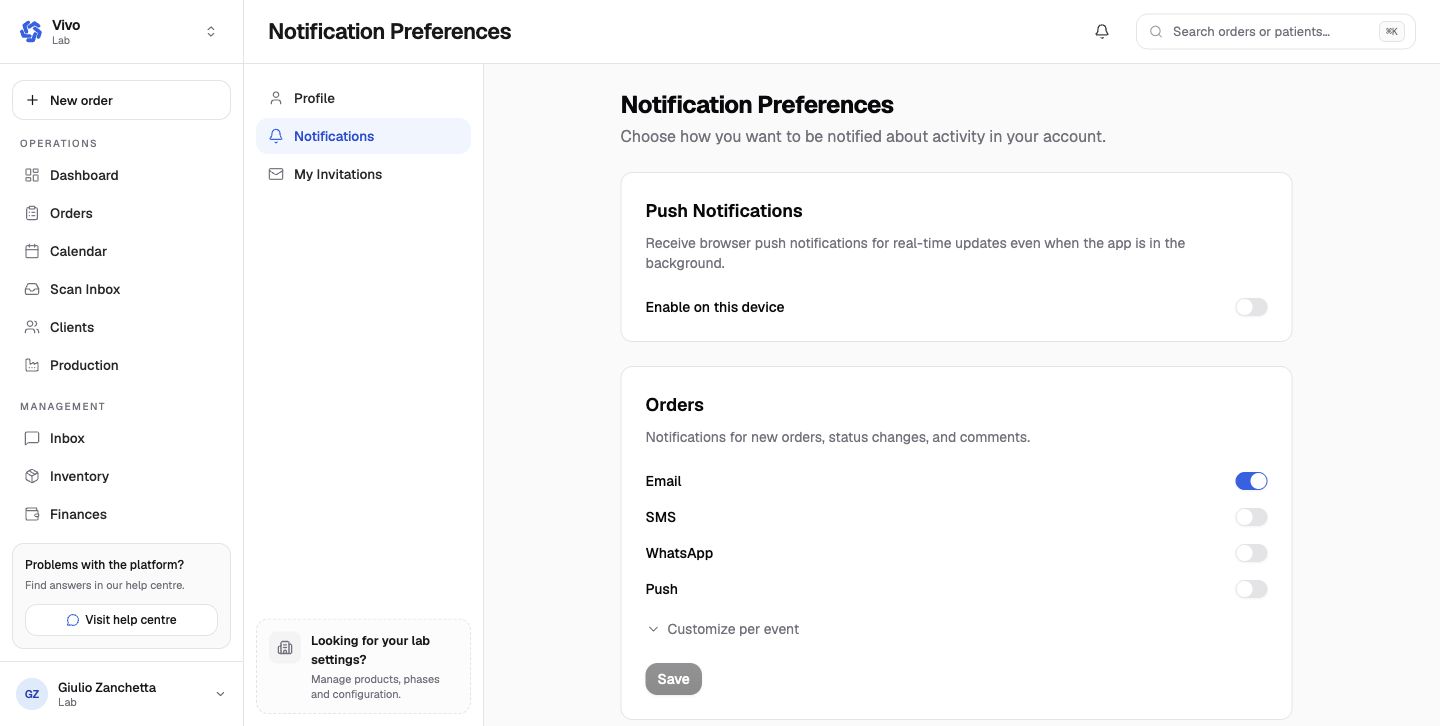
Notification preferences
Choose channels independently for:
- orders, including optional per-event rules;
- partnership invitations and status changes;
- chat messages;
- finance events;
- team membership and join requests;
- low-stock inventory alerts.
Available channels are email, SMS, WhatsApp, and browser push. Browser push must also be enabled on the current device. Saving one category does not implicitly save another category.
My Invitations
Invitations are tied to a verified mailbox. Verify the account email before expecting organization invitations to appear. Accepting an invitation adds the membership and lets you switch into that organization; declining removes the invitation.