Create an organization
Create and configure a new clinic or dental laboratory step by step.
Owners can create a clinic or laboratory from the organization switcher. Have the legal name, contact details, regional settings, and primary location ready.
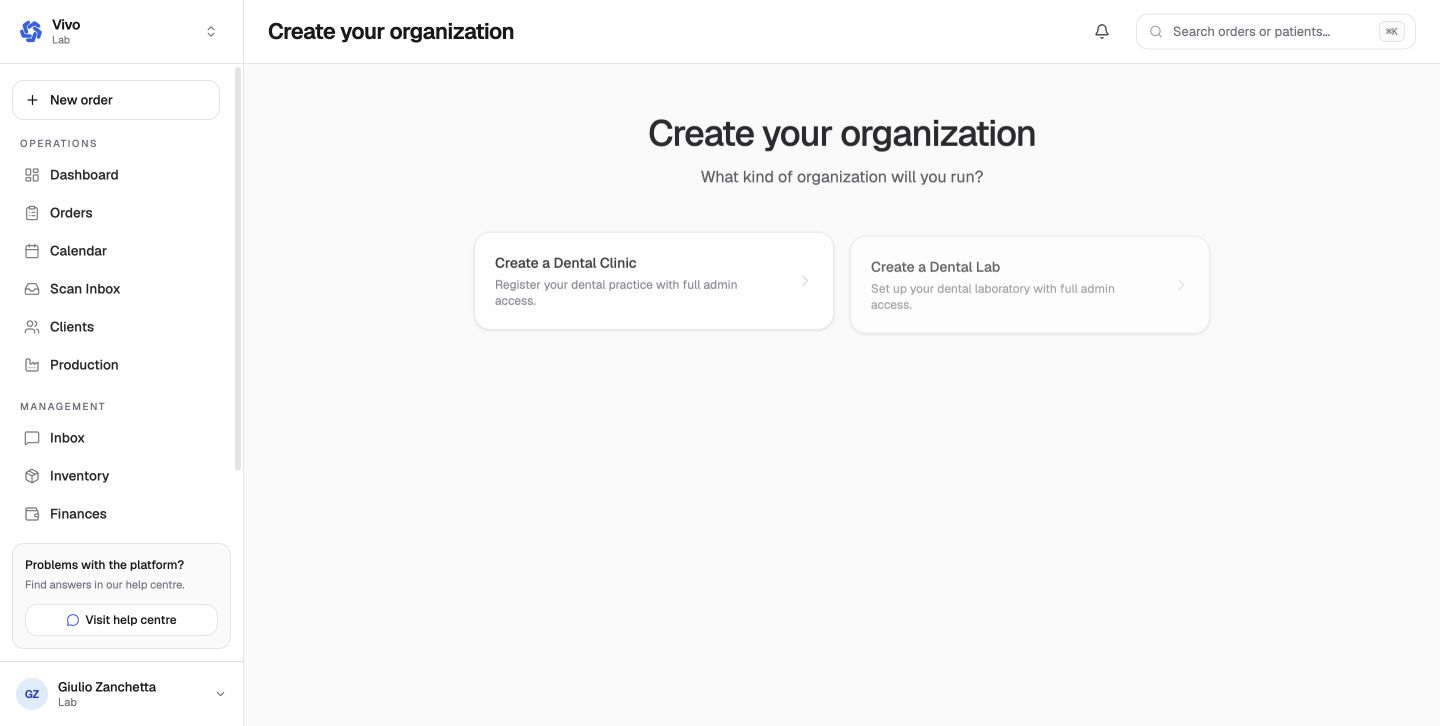
Choose the organization type
From Join or create organization, select Create new organization and choose Dental Practice for a clinic or Dental Lab for a laboratory.
Name the organization
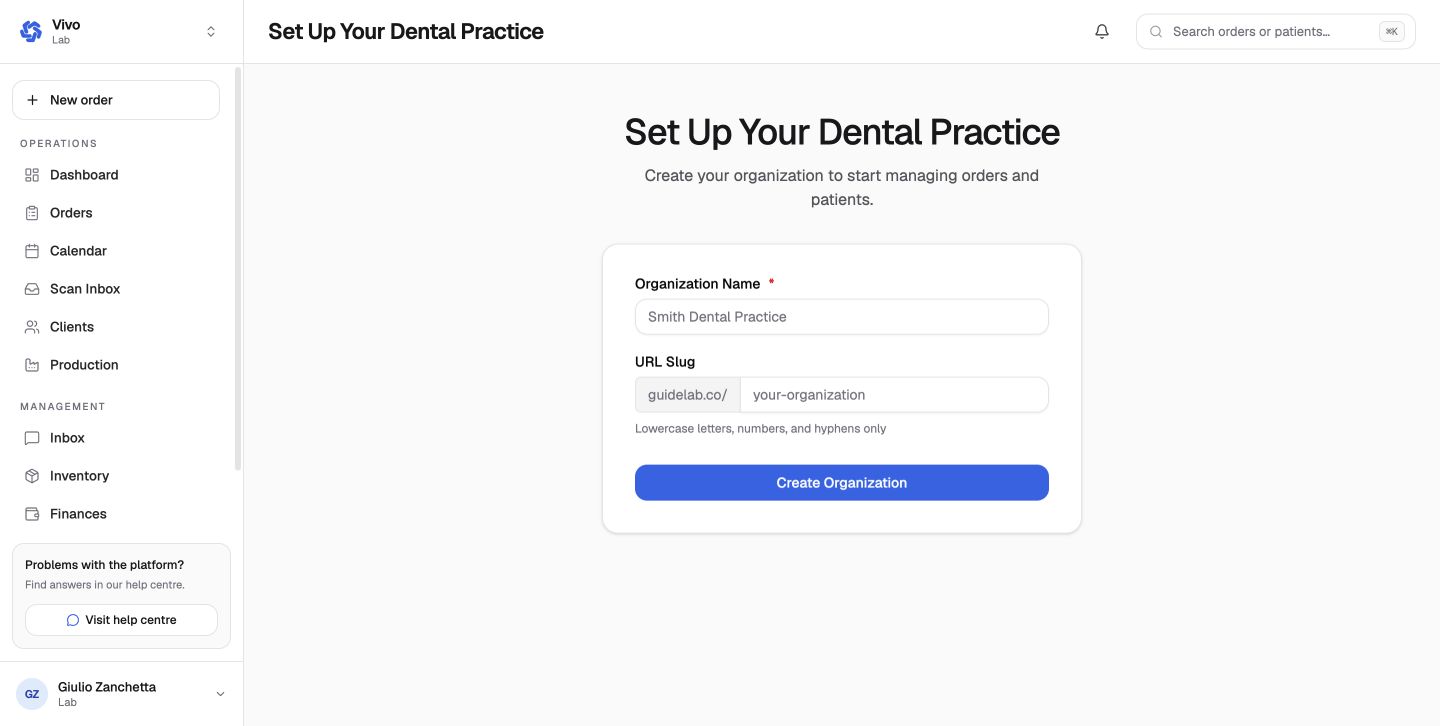
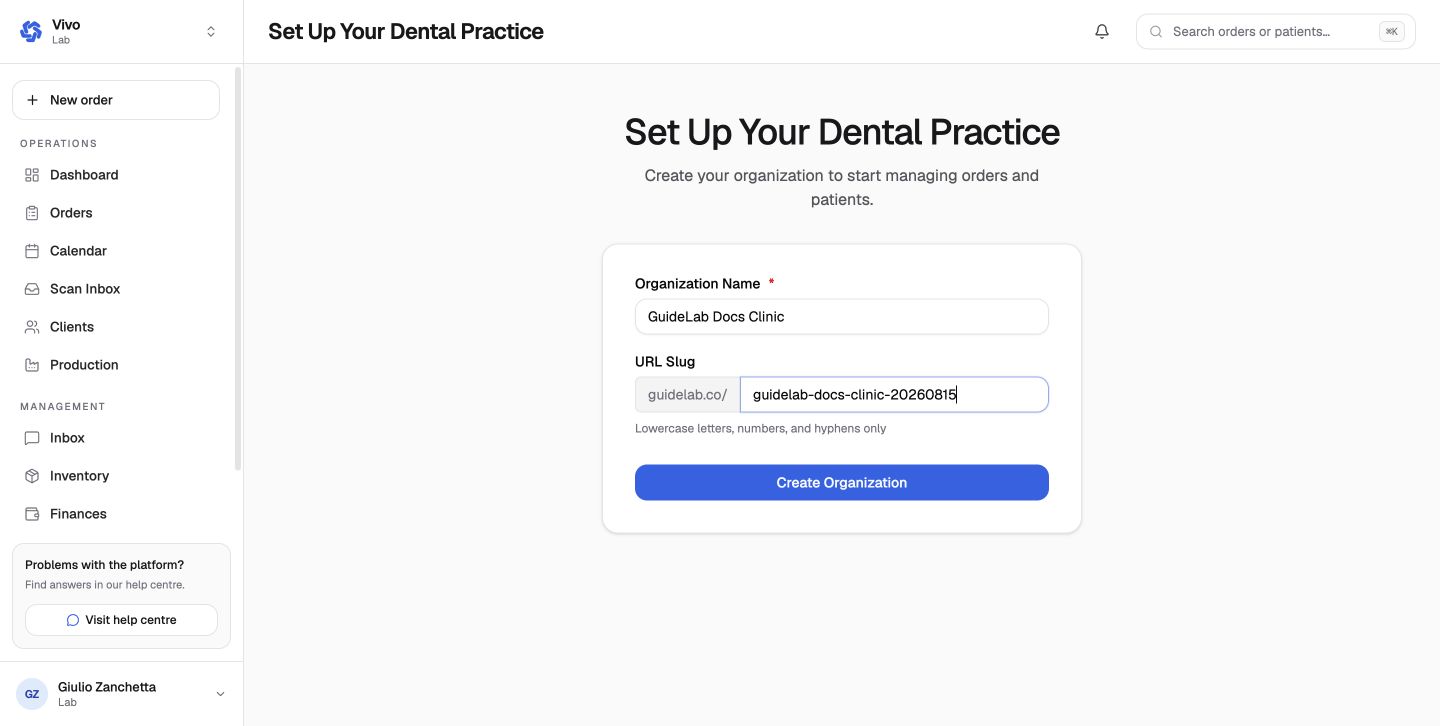
Enter the organization name and a unique URL slug. The slug uses lowercase letters, numbers, and hyphens.
Add business details
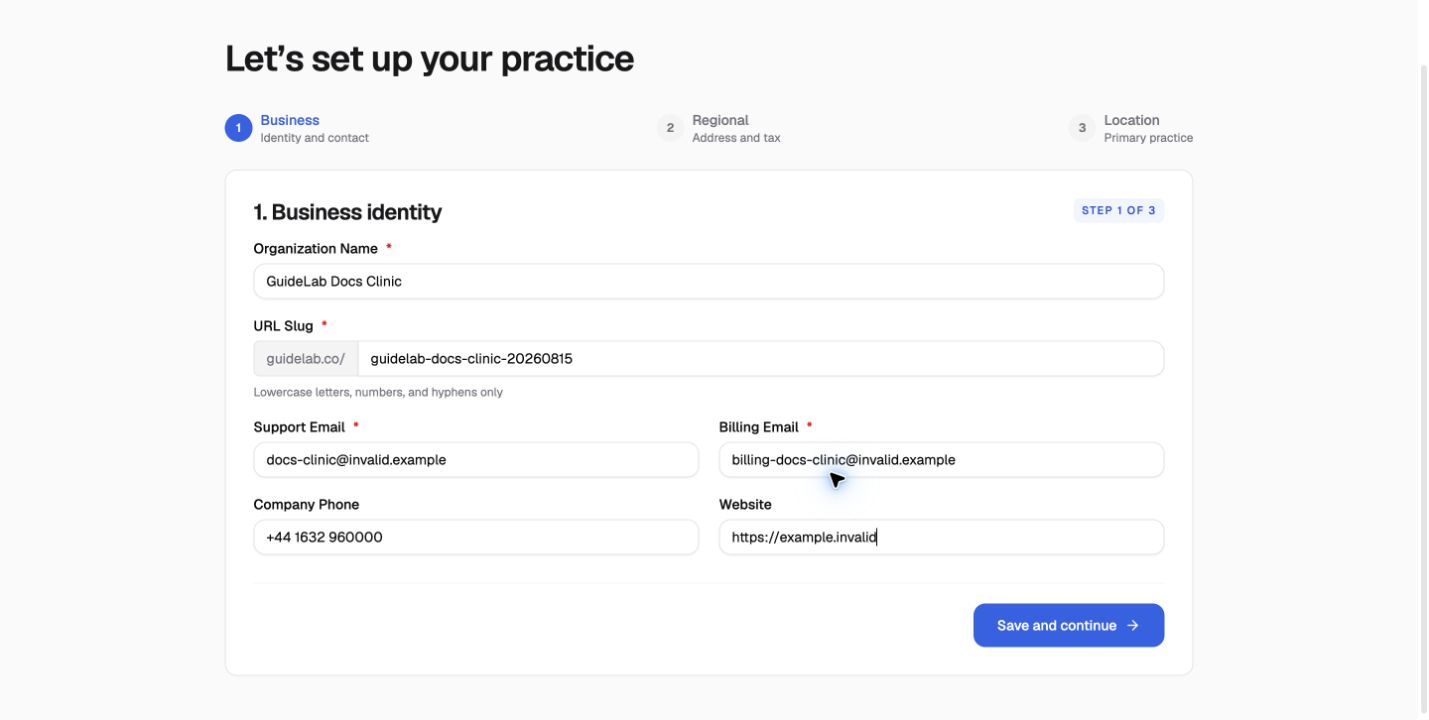
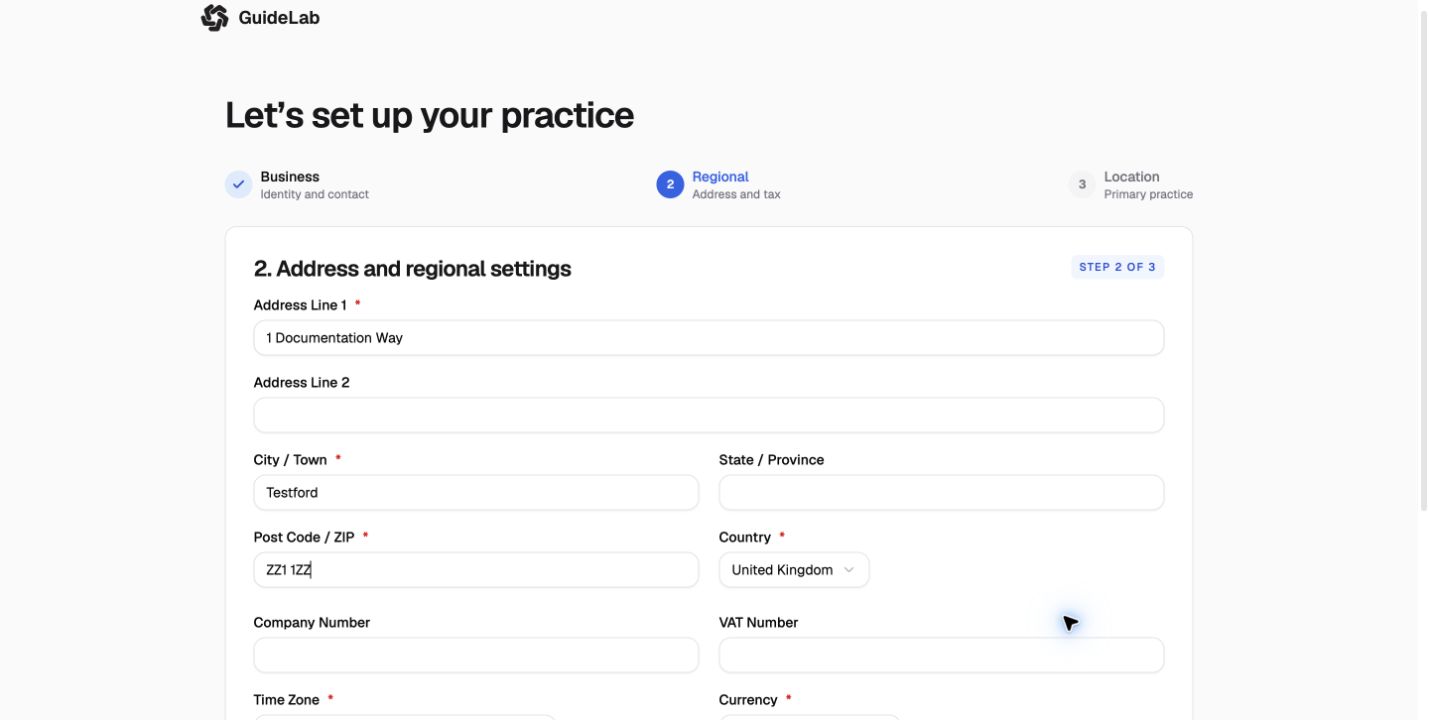
Enter the support and billing contacts, phone number, website, company number, tax details, and business address. Fields marked with an asterisk are required.
Set regional defaults
Choose the timezone and currency used for dates, deadlines, catalog prices, and financial reporting.
Create the primary location
Name the first location and confirm its address. You can add more locations later in Settings.
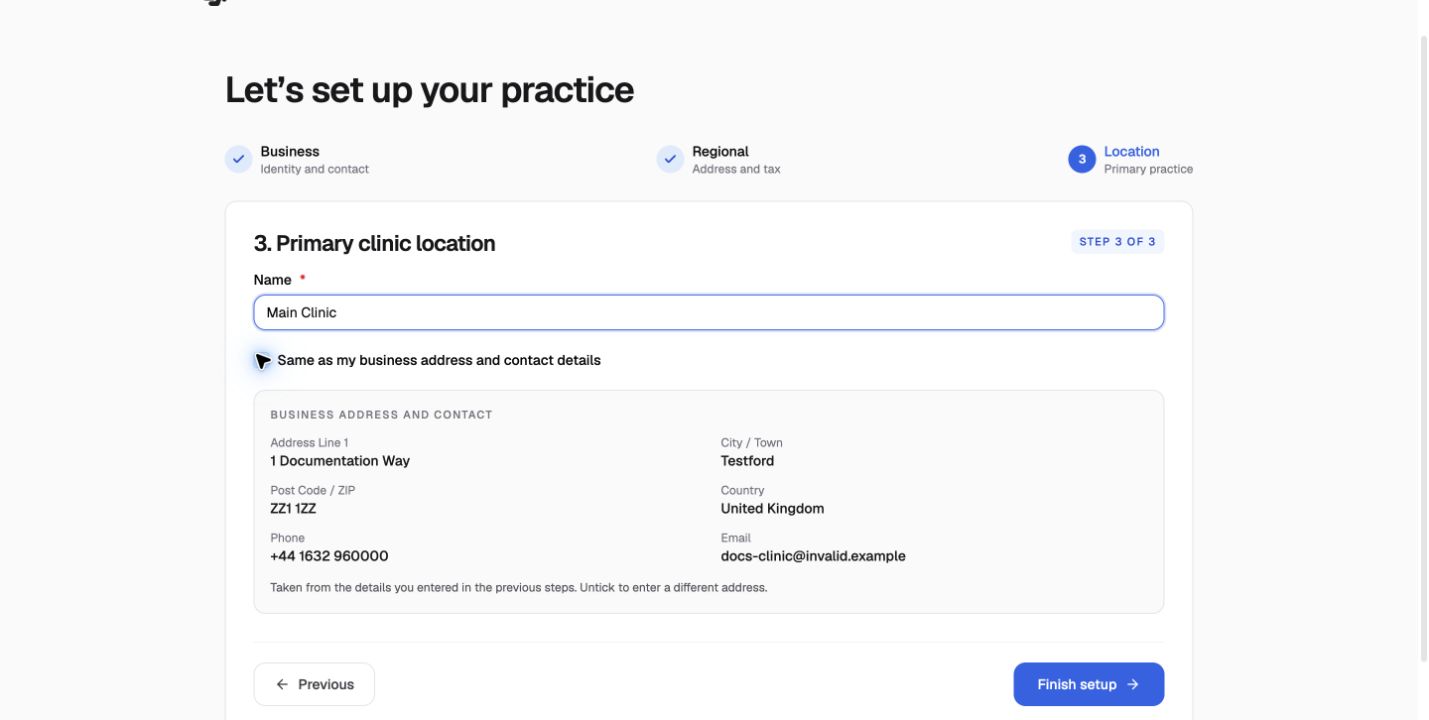
After onboarding, the new organization appears in the switcher. Clinic owners should next add a patient and connect to a lab; lab owners should configure the catalog and production workflow.
Before the first clinic order
A clinic order requires a team member who can be selected as the reference doctor. Invite that person and assign the appropriate clinical role before starting the first order.